
Manage space and user AI memory
AI memory stores guidance that should remain available beyond one conversation.
AI memory stores guidance that should remain available beyond one conversation. Space memory is shared space context; user memory applies only to the signed-in user.
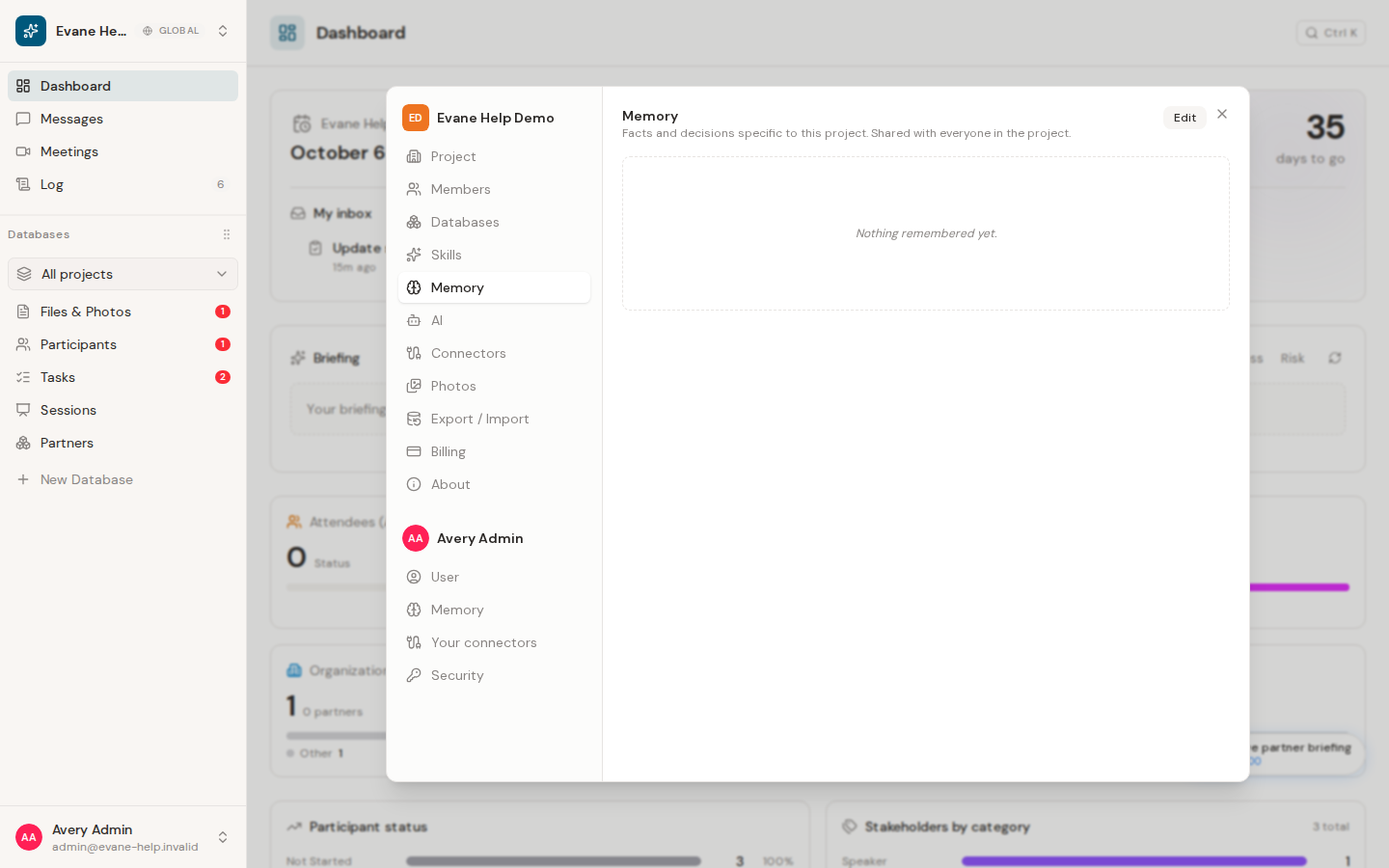
Review what the assistant can remember
Choose Memory in the Space group for shared space guidance, or Memory in the user group for your personal preferences. Only Owners and Admins can edit space memory; user memory remains editable by its signed-in user. Add concise, durable facts such as naming conventions, approved processes, or response preferences, and remove instructions that should no longer influence future runs.
Memory is not a replacement for Tasks, Files, or formal policy documents. Do not store passwords, tokens, verification codes, or other secrets. The assistant still follows current permissions and cannot use memory to access records outside the selected space.
Changes take effect after the server saves them. If an old instruction continues to appear, check both scopes and start a new conversation before adding a conflicting duplicate.
Frequently asked questions
Can space memory be edited by any space member?
No. Only Owners and Admins can edit space memory; user memory remains editable by its own signed-in user.
Should I store a password or API key in AI memory?
No. Do not store passwords, tokens, verification codes, or other secrets in memory.
Last verified: