
Preview or download files
What happens when you open a file depends on its source and format.
What happens when you open a file depends on its source and format. Formist keeps this behavior consistent in the Files page and in file panels attached to other records.
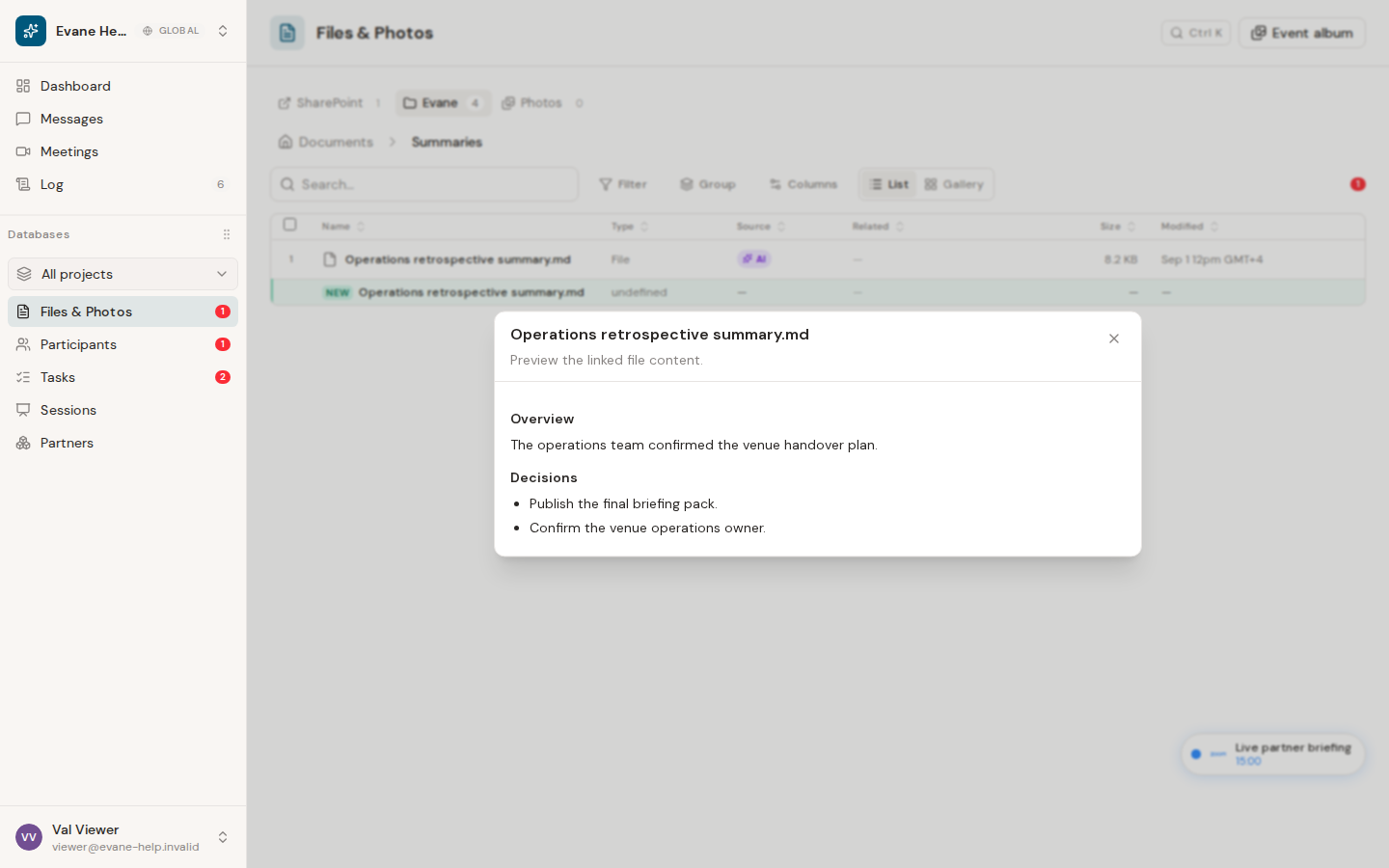
Open a file
- A markdown file you uploaded or created with New document opens in a live, shared document you can edit together; generated markdown (such as a meeting summary) and other supported text content still open in an Formist preview dialog.
- Supported Formist-owned PDFs and images open through the authenticated file preview.
- Office files and other formats without an in-app preview download directly.
- Connected-provider files open at their source when a source URL is available, so SharePoint, Google Drive, or Lark can apply the current user's permissions.
- A Dropbox file has no source page to send you to: the connected folder is mounted with Formist's own app credentials, not a personal Dropbox sign-in, so it downloads through Formist instead, the same as a format with no in-app preview.
Use the row menu when you specifically need Download rather than the default open behavior. The download request is authenticated, so copying its URL into another unsigned browser session may not work.
When a file will not open
First confirm that the file still appears in the active space and that its source badge is correct. For a connected provider, reconnect or reauthorize its connector if the provider rejects access. For an Formist file, retry from the row menu; a missing Blob object or removed file returns an error instead of an empty preview.
Only actions offered for the file's source should be used. Connected-provider rows do not expose Formist-owned rename, move, or delete operations.
Frequently asked questions
Why does a file download instead of opening in preview?
Preview only covers text content and Formist-owned PDFs and images. Office documents, other formats without an in-app preview, and every Dropbox file download directly instead.
Why does opening a file take me to SharePoint or Google Drive instead of Formist?
A connected-provider file opens at its original source page whenever a source URL is available, so the provider applies your own sign-in and permissions rather than Formist's.
Why won't a downloaded file link work in another browser?
The download request is authenticated to your current session, so pasting its URL into a browser where you are not signed in usually fails.
Last verified: